Local Plus connects the work inside a business with the experience outside it. The apps share one family mark because they are two sides of the same product system.
A business can move from private operations to public availability. A customer can move from discovery to a clear order. The product system connects those journeys without pretending they are the same interface.
01Run
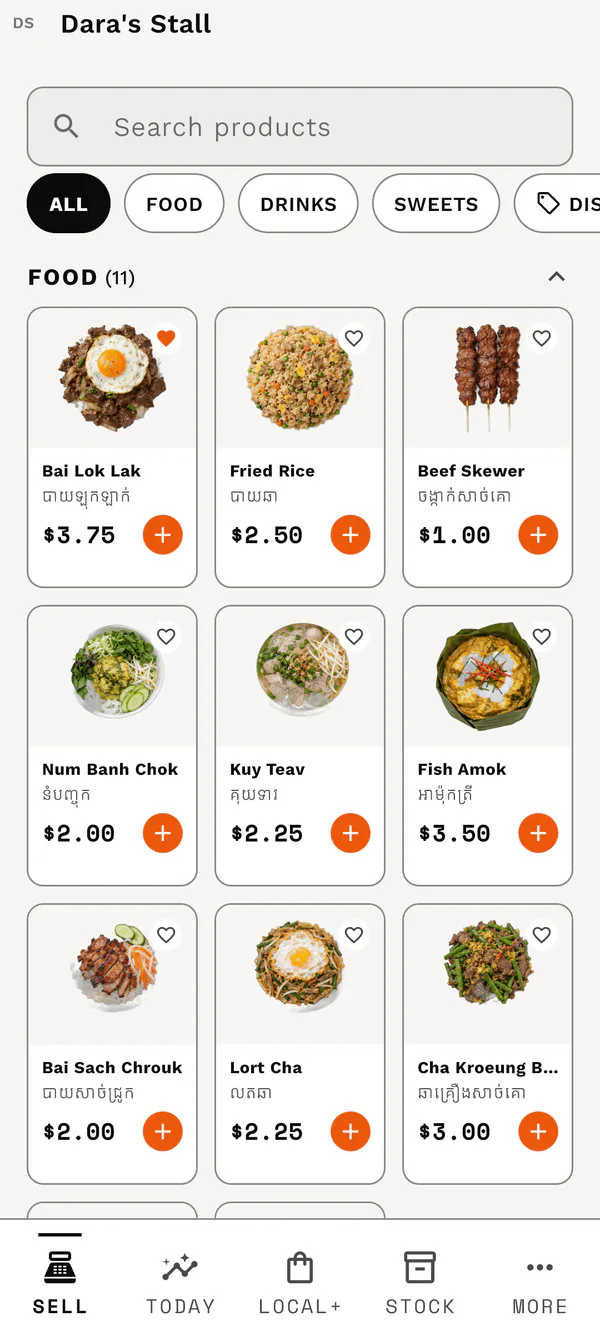
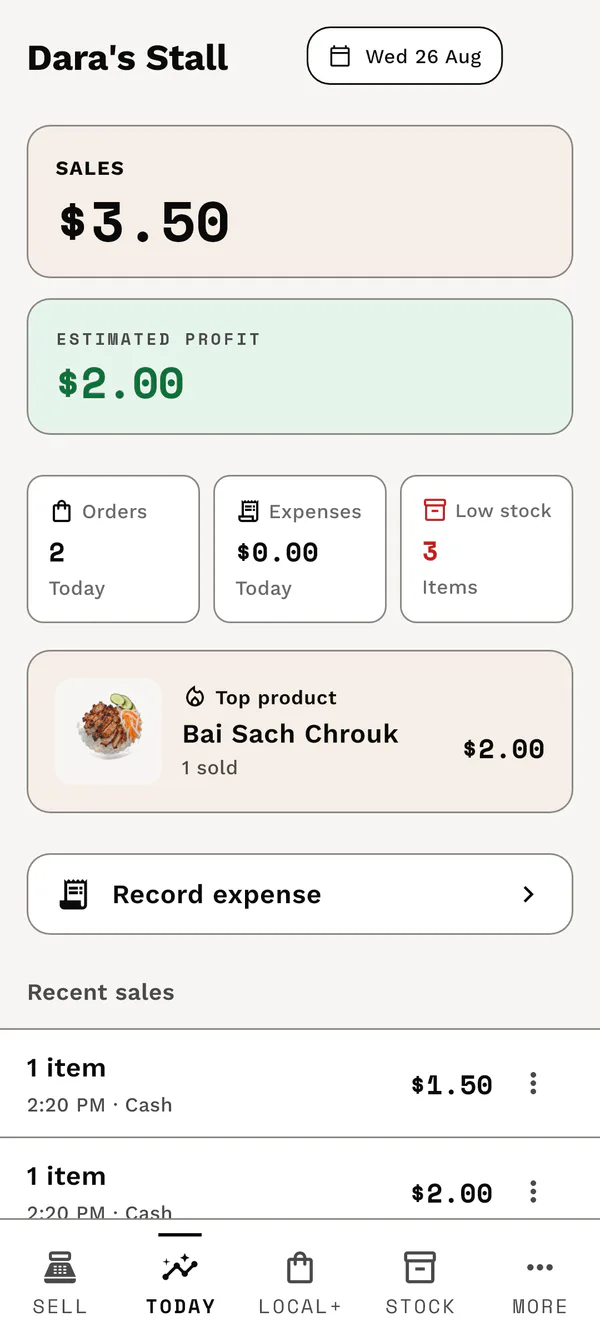
The merchant sells, counts stock, records expenses, and sees the day.
02Publish
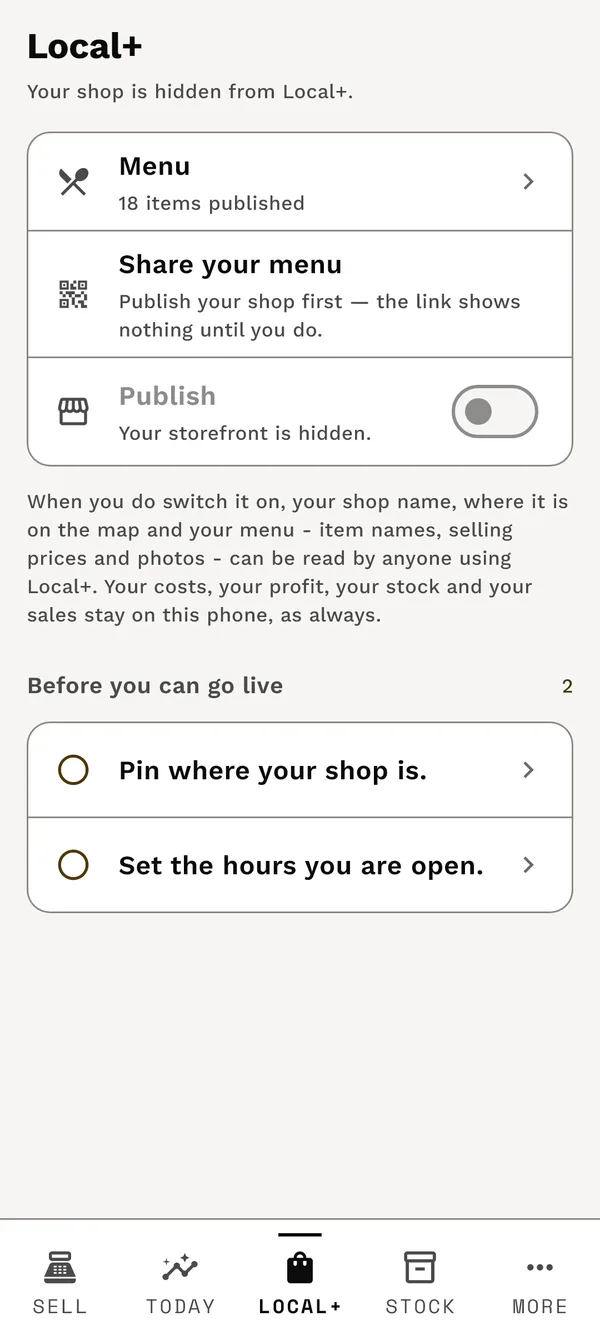
The merchant chooses what the public store can show.
03Discover
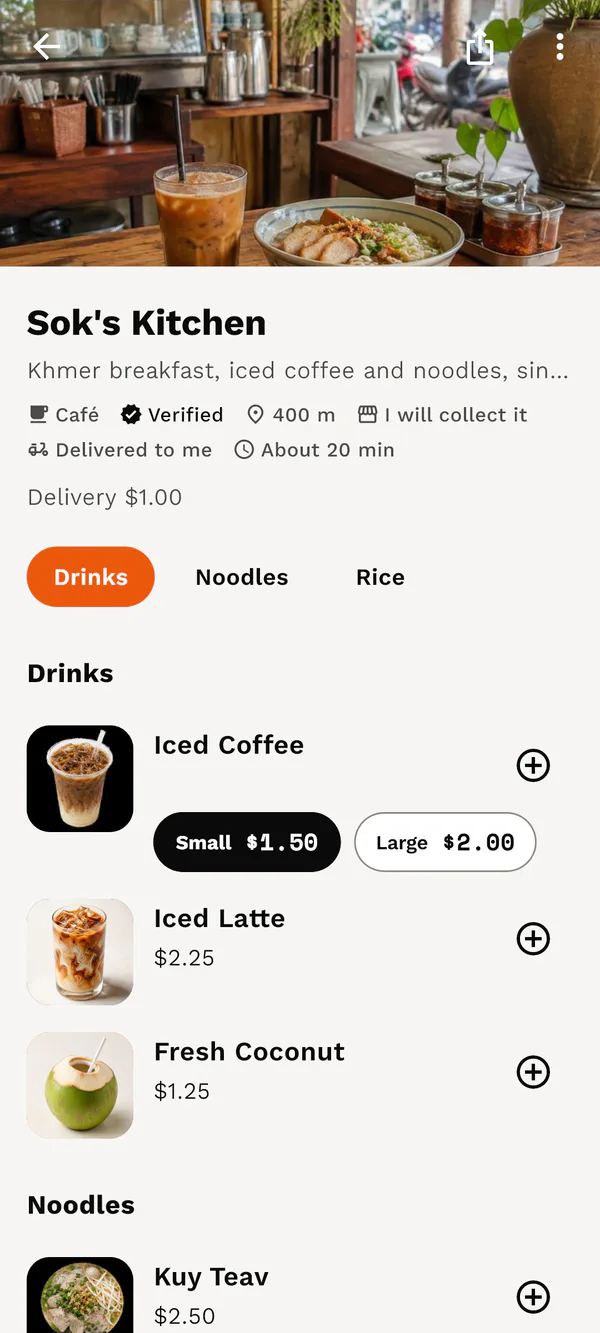
The customer finds a nearby place and reads what is available.
04Order
The customer chooses fulfillment and sends a clear request.
05Fulfill
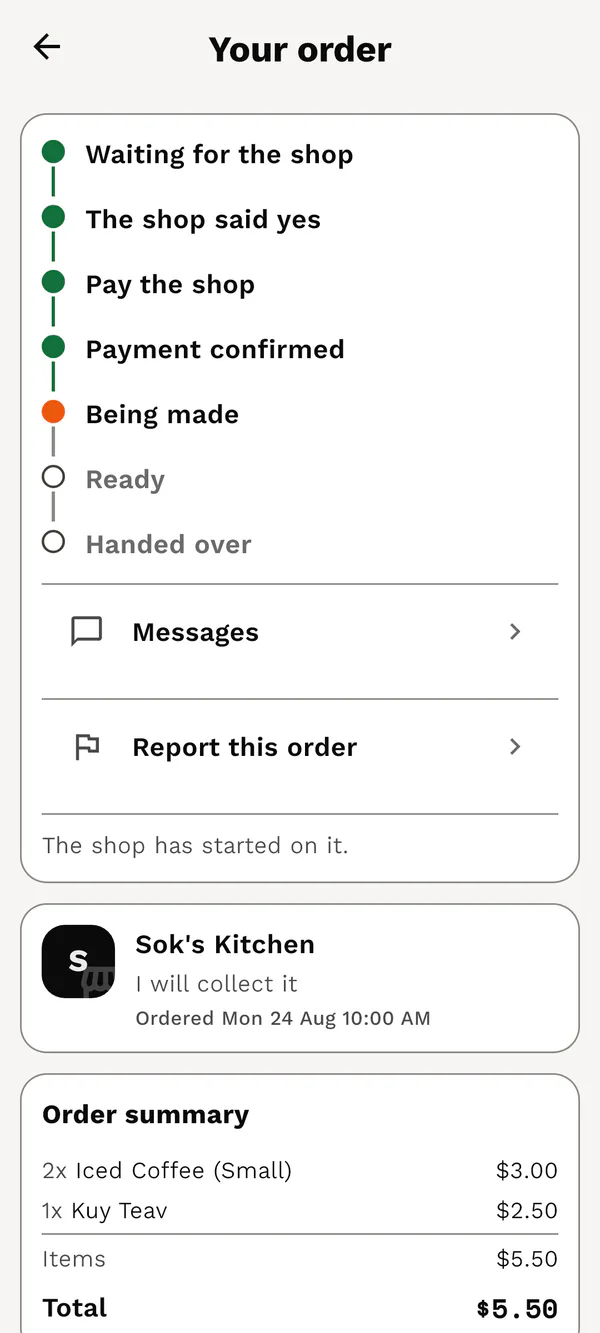
Both sides follow the same order state through handover.
A product-loop illustration
Merchant action. Customer outcome.
Choose a moment to see the two roles side by side. These are real Local Plus screens arranged as a product explanation—not a live dashboard or a claim of active cloud sync.
Showing the storefront preparation moment.
Business / merchant action
Prepare the public storefront.
In Local Plus: Business, the merchant chooses what the public store can show and completes the location and opening details needed before going live.
Merchant view
→Product intent
Customer view
Customer outcome
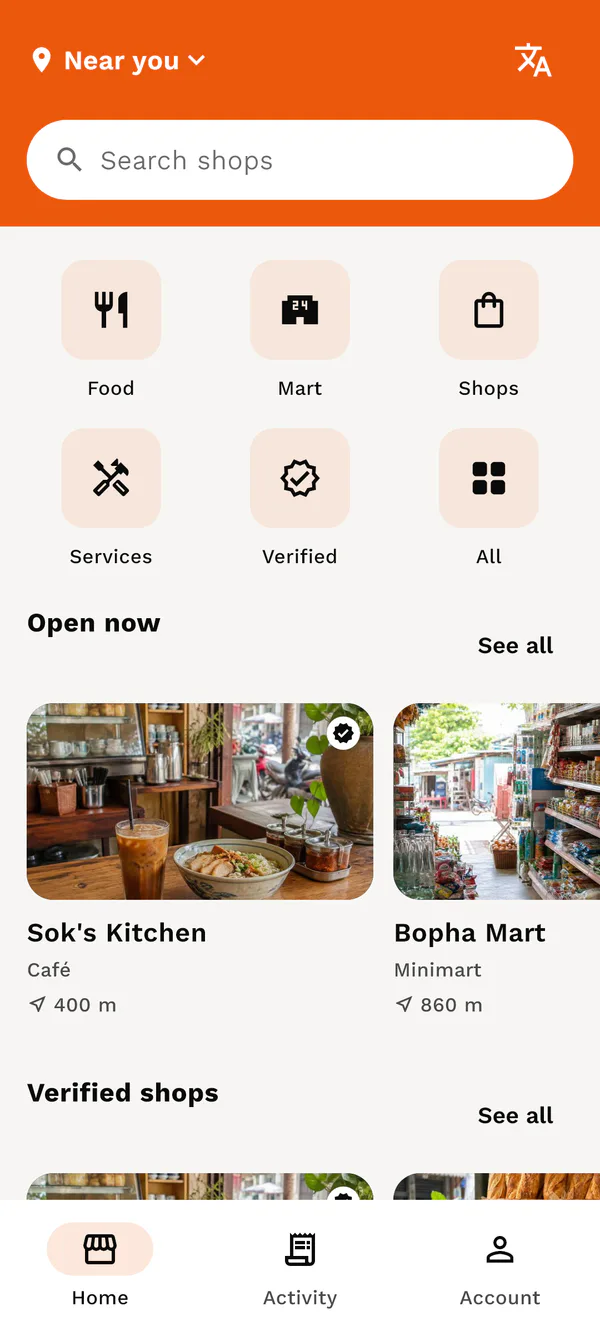
When a storefront is made available, the customer experience is designed to make that shop and its menu discoverable.
Superapp / customer outcome
Start with the local choice.
The customer uses categories and nearby discovery to browse shops. The business keeps its own operational view rather than sharing the same screen.
Merchant view
↔Two clear roles
Customer view
Customer outcome
Nearby discovery gives people a direct path from local choice to a store they can explore.
Shared journey / release gate
Make the next step legible.
The customer can follow a request through a clear order state. The full two-app journey, delivery and billing readiness remain release work—not a feature claim in this illustration.
Merchant view
→Planned handoff
Customer view
Customer outcome
A visible order progression explains what happens next. It is evidence of the intended experience, not evidence of an already released integrated journey.
Release evidence / September 2026
What is proven. What is still a gate.
Both Android packages have separate permanent identities and signed builds. The public terms, privacy, and support surfaces are live. Wider device testing, integrated two-app journeys, billing and delivery readiness, security audit, and store submission remain release work.